
How to grant administrator access to your state login
It is sometimes necessary to grant Sidr Tax administrator access to your state login. This is because certain actions are only permitted through the administrator login. Such actions include and are not limited to:
Registration when you already have another tax account in the state.
This guide uses Illinois as an example. However, it can be used for the following states, since they all work similarly:
Alabama
Arkansas
Connecticut
Colorado
District of Columbia (DC)
Georgia
Hawaii
Idaho
Illinois
Indiana
Iowa
Louisiana (LaTAP)
Maine
Massachusetts
Minnesota
Mississippi
New Mexico
Ohio
Oklahoma
Nevada
North Dakota
Pennsylvania
South Carolina
Tennessee
Utah
Vermont
West Virginia
Wisconsin
Login to your state account. On your home page, click Manage My Profile .

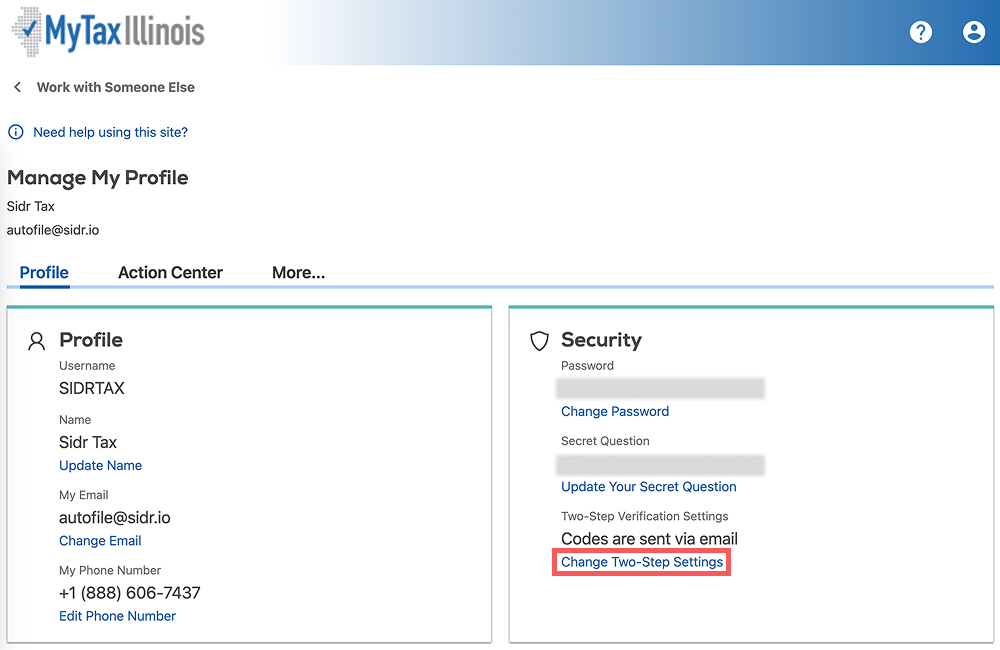
On the Profile tab, click Change Twp-Step Settings .
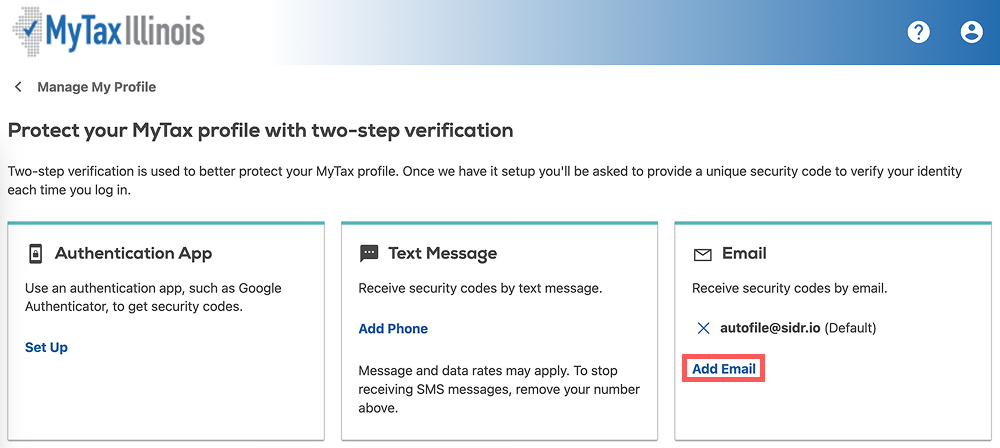
Click Add Email . This will add a new two-step verification email to your login.
Add your virtual email group address, and click Save. If you are not sure what your virtual email group address is, please chat with us.
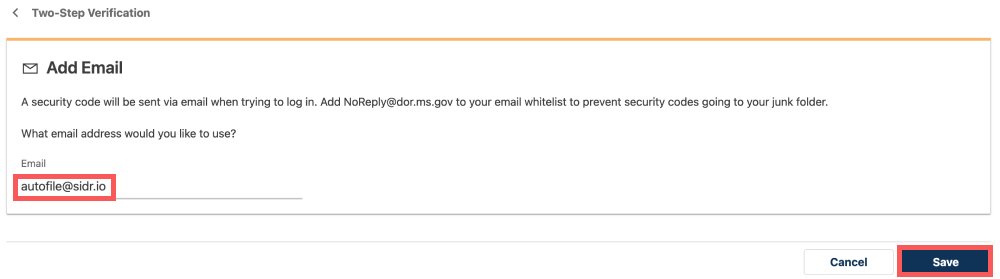
Once you finish this step, Sidr Tax will be able to receive two-step verification emails and login to your administrator account. Please also provide us the username and password to us, and Sidr Tax will be able to login to your account.
Updated on: 09/09/2026
Thank you!